Yes, You Can Edit a File In-Place

A common question on Stack Overflow is "How to edit a file in-place?" and the most common answer is "No, you can't!" and people tend to advise using temporary files to store the modified data and then write back the contents to the original file.
It is Possible
We can use mmap to load the file into the memory and edit it. Though, in technical sense, we are only copying the file (or a part of it) into the memory and let the system handle saving the changes back to the original file.
Drawback
Since mmap maps a file to memory, the maximum file size that can be mapped is ~2-4GB, depending on the system. The memory should be large enough to be able to handle the file size, though, it is possible to load just specific portions of the file.
You also need to specify the offset of the data that you want to edit.
Code
The following function accepts 3 parameters, a file path, start offset and data to write.
EDIT: This implementation have been optimized to load the least memory size possible.
import mmap
import os


def edit_in_place(path, offset, data):
    """
    Edits a file in-place using mmap
    :param path: Path of file
    :param offset: Start offset
    :param data: Data
    """
    if isinstance(data, str):
        data = data.encode('utf-8')
    mmap_offset = mmap.ALLOCATIONGRANULARITY * (offset // mmap.ALLOCATIONGRANULARITY)
    offset = offset % mmap.ALLOCATIONGRANULARITY
    end = offset + len(data)
    with open(path, 'r+b') as f:
        mm = mmap.mmap(f.fileno(), end, offset=mmap_offset)
        mm[offset:end] = data
        mm.flush()
        mm.close()
    # update modified time of file
    os.utime(f.fileno() if os.utime in os.supports_fd else path)


if __name__ == '__main__':
    # Original: Lorem ipsum dolor sit amet...
    edit_in_place('ipsum.txt', 6, "world")
    # Modified: Lorem world dolor sit amet...
Usage
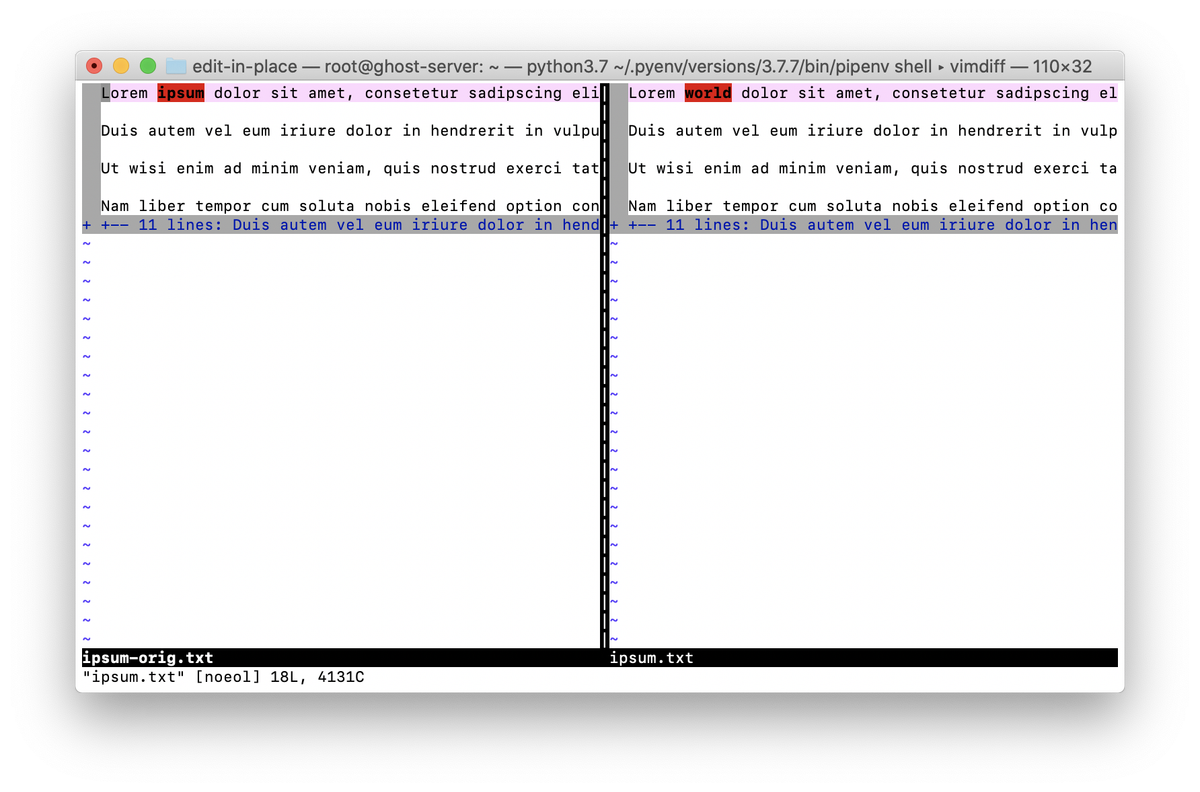
As an example, we are going to use this ipsum.txt file. In this example, we will change ipsum to world.
WARNING: Most editors were unable detect that the files have been edited. You need to reload/reopen them or (better) use vimdiff to compare the file to the original.